


It is best to put your CSS in one single place.
This way, the layout will apply not just to a specific location for a specific element of your page (as in the example above), but to all the tags on your page. And if you want to update the presentation, everything is in one place on your page.
To do this, you place your CSS code in the header of your HTML page, inside a <style> tag.
Example:
<html lang="fr">
<head>
<title>HTML5</title>
<meta charset="UTF-8">

<style type="text/css">
   h1 { color: #336699; }
   #txtCenter { text-align: center; }
   #txtSouligne { text-decoration: underline; }

   span { font-weight: bold; }
   .txtItalic { font-style : italic; }
   #title { font-size: 32px; }
</style>

</head>

<body>...</body>
</html>
It is therefore possible to write CSS code in the header of an HTML document, inside the <head> tag. As we just saw, you simply need to wrap it in a <style> tag with the attribute type="text/css".
This method allows you to remove the formatting from the body of the document, but it will only apply to the page in question and not to the entire site.
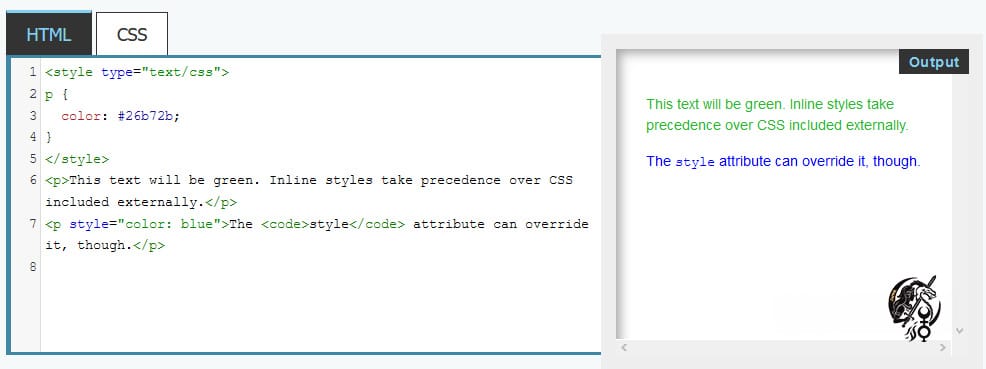
Here is how you can achieve exactly the same result with a single .html file that contains the CSS code (lines 5 to 10):
<!DOCTYPE html>
<html>
    <head>
        <meta charset="utf-8" />
        <style>
            p
            {
                color: green;
            }
        </style>
        <title>Premiers tests du CSS</title>
    </head>

    <body>
        <h1>Mon super site</h1>

        <p>Bonjour et bienvenue sur mon site !</p>
        <p>Pour le moment, mon site est un peu <em>vide</em>. Patientez encore un peu !</p>
    </body>
</html>
The ideal method in this regard is to use stylesheets in external files and apply them to the document using <link> elements.
If multiple <style> and <link> elements are applied to the document, they will be applied in the order in which they are included in the document. So make sure to check the order to avoid any cascade issues.
Like <link> elements, <style> elements can include media attributes that describe media queries, allowing you to apply stylesheets based on certain criteria from the media being used (such as screen width, for example).

There you go, now you can show off at parties...


0 Comments